
Online Medical MCQs: Plan a Reliable Practice Session
Set up a reliable digital MCQ session, check timing and submission behaviour, manage interruptions and combine online questions with your course materials.

Build a clear and reliable routine around your digital question practice.
Online medical MCQs make it possible to practise from a connected device, but a reliable study session needs more than an open browser tab. You need a clear purpose, readable questions, sensible timing and a way to distinguish a learning gap from a technical interruption.
This guide focuses on the digital side of practice: setting up your device, checking how a test behaves, using feedback without losing your train of thought and making online and offline study work together. It will help you decide how to use a resource in your own routine without assuming that being online makes it better than every alternative.
Decide what online practice should help you do
Online medical MCQs can serve different purposes. You might explore a new topic with notes nearby, check recall without support or practise a timed written format. Choose the purpose before choosing the mode, because the same question can provide different information under different conditions.
For supported learning, looking up a definition may be part of the task. For a self-test, it changes what the attempt measures. Neither activity is automatically wrong; the mistake is recording both as though they were the same kind of performance.
Write a short session label such as “new topic, untimed, notes allowed” or “fresh set, timed, no notes.” Add the topic and the question source. These details take little time and help you interpret the result later, especially when practice happens across several devices or short study opportunities.
Check how the question experience works before relying on it
Try a sample of online medical MCQs before making assumptions about the interface. Check whether you must submit each answer immediately or submit a whole set at the end. Find out when feedback appears and whether returning to an earlier question is supported in that particular mode.
Before starting online medical MCQs, read any timing instructions. A countdown may apply to an individual question or to the complete test, and different platforms handle expiry differently. Do not assume that leaving a tab, locking a phone or losing connectivity pauses the clock.
Also check how diagrams and longer options appear. If a question needs an image, you should be able to view it clearly enough to interpret the educational task. A cramped display should not become an unrecorded source of errors in what you intended to be a knowledge check.
Use the available demo test to inspect the current experience. Confirm the features you need in the live resource; this guide does not promise that every online system offers pause, resume, downloads, automatic saving or the same test modes.

Set up the device around the session
Start online medical MCQs on a device that lets you read comfortably. A phone may suit a short text-based set, while a larger screen may be more practical for detailed images or long stems. Choose according to the actual question content rather than assuming one device is always superior.
Use comfortable text sizing and check that important controls remain visible. Keep the device charged and use a connection you expect to remain available. These are practical preparation steps, not guarantees that a session cannot be interrupted.
If you are using a shared computer, use your own authorised account and avoid leaving personal study or account details open afterwards. Do not share login credentials to let someone else attempt a set for you. Your results are more useful when they represent your own work under known conditions.
Prepare any permitted materials before starting. For a supported session, that might mean your course notes and a reference. For an unaided timed attempt, keep unrelated tabs and answer sources out of the session so you can interpret the result honestly.
Give the session a clear boundary
A device used for online medical MCQs may also receive messages, email and social notifications. If appropriate for your circumstances, reduce non-essential notifications and choose a study period when you can give the questions sustained attention.
Keep the session small enough to finish and review. A realistic twenty-minute opportunity is different from an uninterrupted afternoon. Avoid opening a long timed test simply because it is available when your actual schedule is likely to force a break halfway through.
When an interruption occurs, note it. You do not need an elaborate tracking system: “paused by a phone call” or “connection problem during the last items” provides useful context. A result from that attempt should not be compared casually with a quiet, uninterrupted first attempt.
A practical workflow for online medical MCQs
The sequence below organises online medical MCQs around a clear beginning, attempt and review. Adapt it to the instructions and features of the resource you actually use. The suggested structure is an editorial example rather than a validated study programme.
- Define the scope. Select a topic linked to your current learning objectives and choose a manageable set.
- Check the conditions. Confirm timing, permitted support and submission behaviour before the first scored item.
- Attempt deliberately. Read the complete stem and choose an answer before revealing teaching material.
- Mark uncertainty. Keep a simple note of responses that involved guessing, even if the platform does not provide a confidence control.
- Review the result. Check the relevant feedback and identify the specific concept or decision that needs attention.
- Choose the next action. Return to a course explanation, discuss an unresolved issue or plan a fresh attempt later.
Do not let interface speed rush the reasoning. Moving quickly between pages can make a session feel productive while leaving little evidence that you understood the deciding concept. A brief reason in your own words may be more useful than several extra items completed without review.
For the detailed answer-checking method, read our guide to medical MCQs with answers. For choosing the subject scope of a session, use the topic-wise practice guide. Here, the focus is keeping the digital session reliable and interpretable.
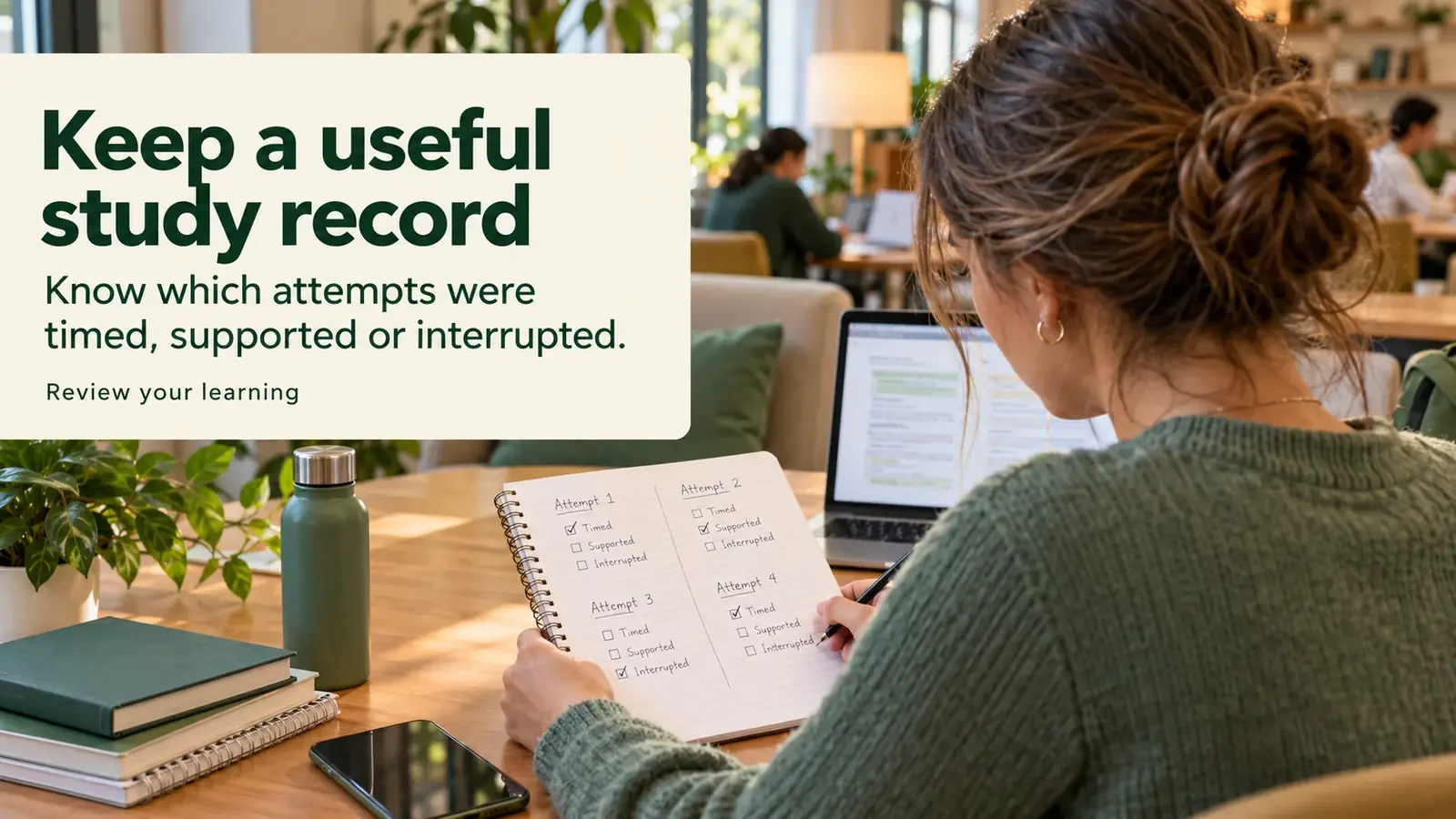
An example session log that includes technical context
Imagine a learner using online medical MCQs during three study opportunities. The question totals and conditions below are invented examples. They illustrate why a percentage needs context rather than prescribe a particular workload.
| Session | What happened | How to use the result |
|---|---|---|
| New topic, short untimed set | Notes were consulted during several items. | Treat it as supported learning and plan an unaided check. |
| Fresh timed set | The connection failed before submission was confirmed. | Check the recorded attempt before interpreting the displayed result. |
| Repeated set on another day | Several options were remembered from the earlier attempt. | Use fresh wording or explain the concepts without the options. |
A paper notebook can hold this record if that is easier. You do not need a new app for every study task. What matters is retaining enough information to decide whether the next step is subject review, a better-controlled attempt or a question for the resource provider.
What does research say about online formative assessment?
Research on online medical MCQs and related formative assessments supports looking at the whole learning design. In a randomised study of second-year medical students, an open-book online assessment related to a subsequent practical course was associated with better knowledge outcomes than an assessment on unrelated material. Understanding the feedback also mattered. The trial concerned preparation for a particular course; it did not establish that online assessment is always better than paper. Read the original trial.
Another study followed structured online formative assessment across two consecutive cohorts. Engagement and improvement differed between years, but the content, delivery and assessment incentives also changed. Those differences prevent a simple conclusion that the online medium alone caused the improvement. Read the original study.
A reasonable application is to choose online medical MCQs that fit an educational purpose and then use the feedback. Clicking through more screens or spending longer logged in does not, by itself, establish deeper understanding. These studies are educational evidence, not trials of PhysioVeda Academics or promises about individual results.
Make online and offline study work together
Online medical MCQs and offline study can support different parts of the same learning task. You might use a question set to expose a gap, consult a textbook to clarify it and draw a relationship from memory on paper. The transition is useful when each tool has a clear job.
Choose online medical MCQs when the available question format, feedback and access suit the session. Choose a printed reference or handwritten explanation when you need to slow down, trace a relationship or organise unfamiliar vocabulary. Neither format removes the need to check the quality and relevance of the content.
Keep your syllabus as the main reference for coverage. A platform’s subject menu is a resource map, not necessarily a complete copy of your course. Browse the current subjects and identify what they cover before deciding how much of your revision plan to place there.
Handle connection and submission problems without guessing
If online medical MCQs stop responding, first check the visible status of the session. Look for a confirmation or recorded attempt before assuming that an answer or result was saved. Follow the resource’s published instructions and contact its support if the status remains unclear.
Record the approximate time, the page or mode and the message displayed. Share only the details needed to explain the problem. Do not send passwords, payment information or identifiable patient information in a screenshot.
Avoid treating an interrupted attempt as a reliable unaided score until you understand what was recorded. If you repeat it, note that some items may now be familiar. Technical troubleshooting and subject revision solve different problems, so keep them distinct in your study record.

Check the resource before purchasing access
Before paying for online medical MCQs, inspect a sample and confirm the current subjects, duration and access conditions. Check whether the features important to your routine are actually included. Ask the provider about any requirement the public information leaves unclear.
Our question bank buying guide covers content and membership comparisons in more depth. Review the current access plans and relevant terms before purchase. A clear choice is based on a resource’s verified fit with your learning plan, rather than an assumption that a larger question count guarantees a better result.
Frequently asked questions
What are online medical MCQs?
They are medical or healthcare multiple-choice questions accessed through a connected digital service. Features such as timing, feedback, answer review and saving vary, so check the actual resource before relying on them.
Can I practise online medical questions on a phone?
A phone may suit some text-based practice, while detailed images or long questions may be easier on a larger screen. Try a sample and check readability and controls on your own device.
Are online MCQs better than paper questions?
Neither format is always better. Choose according to the content, feedback, accessibility and purpose of the session. Online questions can be combined with textbooks, notes and paper-based recall tasks.
Should I use a timer for every online session?
No. Untimed practice can support learning, while timed attempts can help you practise a relevant assessment condition. Record the mode used and follow the instructions of the particular test.
What should I do if the connection fails during a test?
Check the visible session status and any recorded attempt before assuming submission succeeded. Follow the provider’s instructions, contact support if needed and note the interruption when interpreting the result.
Does time spent online prove that I have learned a topic?
No. Time and completed-item counts describe activity. Use fresh attempts, explanations in your own words and appropriate course feedback to judge what you understand and what needs further work.
Related reading
Editorial note and sources
Prepared for PhysioVeda Academics on 29 October 2026. This article provides educational workflow guidance. Device checks and session logs are practical suggestions, not guarantees of technical performance or examination success. Promotional photographs are AI-generated illustrations.
Choose access that fits your study plan
Full Access includes Anatomy, all available subjects and the 3D Anatomy Lab for the selected duration. Check the current scope on the pricing page before purchasing.